How to Recreate the Viral 3D Zoom Photo Effect in CapCut
Have you ever scrolled through TikTok or Instagram Reels and wondered how creators make those stunning photos that zoom in with a 3D-like motion? That mesmerizing effect isn’t magic, it’s the 3D Zoom Photo Effect, and the best part? You can easily recreate it in CapCut APK within minutes, even if you’re not a professional editor.
If you’ve tried other apps and ended up with clunky or blurry results, don’t worry, you’re not alone. Many creators struggle to get that smooth, cinematic motion that makes their photos come alive. As a trusted guide in digital content creation, I’ll walk you through a clear, step-by-step process that guarantees you’ll achieve the same viral-quality 3D effect seen on trending social media videos.
Unlike generic tutorials, this guide focuses on practical steps, tested editing techniques, and CapCut’s built-in AI tools to help you master the trend quickly. You’ll also learn how to enhance your visuals with the right music, timing, and filters key ingredients that boost engagement and help your content perform better on TikTok, Instagram, and YouTube Shorts. Let’s dive in and transform your static photos into eye-catching 3D masterpieces that captivate your viewers.
What Is the 3D Zoom Photo Effect?
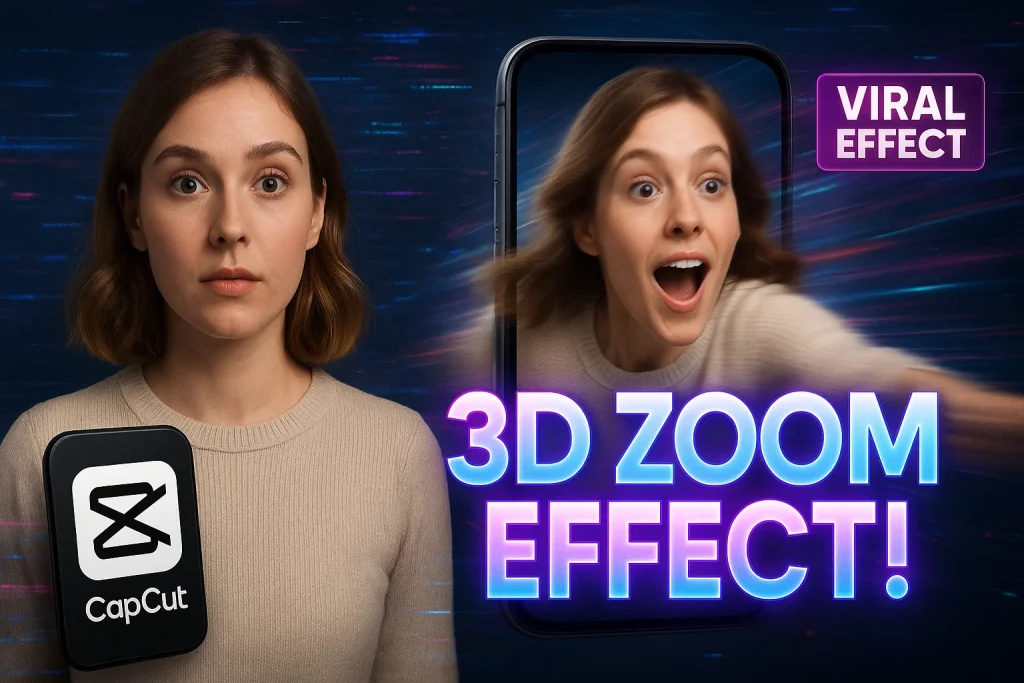
The 3D Zoom Photo Effect is a trending video technique that gives flat images a lifelike, cinematic movement. Instead of staying still, your photo appears to move forward in 3D space, creating that smooth, floating motion you’ve probably seen in TikTok edits and Instagram Reels. It’s powered by AI depth mapping, which separates the subject from the background making your photo look like it was shot with a professional camera.
What makes this effect so popular is how easily it transforms ordinary pictures into dynamic short videos. With just one tap in CapCut, you can turn a simple portrait or travel photo into a scroll-stopping clip perfect for social media. It’s a creative, beginner-friendly way to make your content stand out, no advanced editing skills or expensive software required.
Why Use CapCut for the 3D Zoom Effect?
CapCut is the easiest and most reliable app for creating the 3D Zoom Photo Effect thanks to its AI-powered tools and simple interface. You just upload a photo, tap the 3D Zoom option, and the app does the magic, no editing skills needed. Since CapCut is made by ByteDance (the creator of TikTok), your videos are already optimized for TikTok, Instagram Reels, and YouTube Shorts, making them look professional and ready to go viral.
How to Create the 3D Zoom Photo Effect in CapCut
Creating the 3D Zoom Photo Effect in CapCut is simple, fast, and perfect for beginners. With CapCut’s AI tools, you can easily give your photos a cinematic 3D motion in just a few steps:
- Step 1: Install or update CapCut to access the latest AI features.
- Step 2: Open a new project and import a high-quality photo.
- Step 3: Tap “Style” → “3D Zoom” to apply the effect automatically.
- Step 4: Adjust timing, transitions, and filters to enhance the look.
- Step 5: Export and share your 3D video on TikTok, Instagram Reels, or YouTube Shorts.
In seconds, your static photo turns into a smooth, eye-catching 3D clip that’s ready to go viral.
Tips to Make Your 3D Zoom Photos Look More Professional
- Use high-resolution photos so the 3D Zoom effect looks clean and sharp.
- Choose images with a clear subject and background, it helps CapCut’s AI detect depth better.
- Sync your zoom motion with the beat of the music for a more cinematic feel.
- Add soft filters or light effects to enhance the mood without overdoing it.
- Keep the timing smooth , don’t make the zoom too fast or too slow.
- Try pairing your 3D photo with trending sounds on TikTok or Instagram Reels for extra reach.
- Always preview before exporting to catch any awkward transitions or glitches.
With these simple tweaks, your CapCut 3D Zoom photos will look more polished, professional, and ready to shine on any social platform.
Common Mistakes to Avoid
- Using low-quality or blurry photos, it ruins the 3D Zoom effect instantly.
- Ignoring lighting and contrast, which makes your subject look flat.
- Overusing filters or transitions, causing the video to feel messy or artificial.
- Making the zoom too fast or too slow, breaking the natural motion flow.
- Forgetting to sync the effect with the music beat, which weakens the impact.
- Skipping the preview step before exporting, leading to avoidable mistakes.
- Not updating CapCut, which can limit access to new AI editing features.
Avoiding these simple errors helps your CapCut 3D Zoom videos look smoother, more balanced, and truly professional.
Final thoughts
The 3D Zoom Photo Effect in CapCut is more than just a trend, it’s a simple yet powerful way to make your content stand out. With just a few taps, you can transform ordinary photos into dynamic 3D videos that look professional and ready for social media. From installation to exporting, every step in CapCut is designed to make the process fast, creative, and beginner-friendly.
In the end, the real magic isn’t just in the AI tools or fancy transitions, it’s in how you use them to tell your story. Whether you’re a content creator, influencer, or just exploring video editing, mastering this effect gives your visuals that extra edge. It’s not about perfection but about learning, experimenting, and finding your own style.
If you found this guide helpful, feel free to share it with fellow creators or drop your thoughts in the comments. And if you ever get stuck while using CapCut, don’t hesitate to reach out to their support team or explore the app’s built-in tutorials. Keep experimenting, stay creative, and let your photos come alive in 3D!

Daniel Carter is a tech blogger who enjoys testing Android apps and video editing tools. He has been using and reviewing apps like CapCut for a few years and writes simple guides to help people get the most out of them. Daniel believes that editing doesn’t have to be complicated—his step-by-step tips make it easy for beginners to learn and improve. When he’s not writing, you’ll usually find him trying new apps or sharing CapCut updates with his readers.