A Guide for Editing Business Videos for SMBs and SMEs

Video is no longer just for big corporations—it’s now one of the most powerful tools for small and medium-sized businesses (SMBs) and small and medium-sized enterprises (SMEs) to connect with their audience. In today’s digital landscape, customers expect engaging, polished content. That’s where business video editing comes in, transforming raw footage into professional storytelling that grabs attention from the very first second.
We understand that as a SMB owner, you often juggle limited budgets, time, and resources. Investing in video editing for small businesses may feel overwhelming, but it’s also one of the most effective ways to build credibility, showcase your products, and stand out against larger competitors. By knowing the right strategies, you can create content that feels high-quality without spending like a big brand.
This guide is designed to show you how SMBs and SMEs can edit business videos in a simple, cost-effective way while still achieving professional results. From using affordable editing tools to applying smart techniques, we’ll walk you through everything step by step. The goal is not just to make videos look good but to help you boost brand visibility, improve audience engagement, and drive more conversions—without unnecessary complexity.
People also like
Benefits of Editing Business Videos for SMBs and SMEs
Enhancing Brand Image
First impressions matter, especially for small and medium-sized businesses (SMBs) trying to compete with larger brands. A well-edited video instantly communicates professionalism and attention to detail. By adding brand colors, consistent fonts, and clear visuals, you create a polished look that strengthens your identity. Think of editing as digital packaging—it makes your business look trustworthy and appealing before a word is even spoken.
Building Trust with Customers
People buy from brands they trust, and video editing for SMEs plays a big role in building that trust. Clear audio, smooth transitions, and well-placed captions show that you value your audience’s viewing experience. Customers notice when a video feels rushed or sloppy, and that can hurt credibility. On the other hand, a cleanly edited video signals reliability, making it easier for potential buyers to connect with your message and believe in your brand.
Improving Engagement and Conversions
It’s not just about looking good—business video editing can directly impact sales and engagement. Shorter cuts, attention-grabbing intros, and relevant subtitles keep viewers watching longer. Adding calls-to-action within videos can guide customers toward booking a service, exploring your website, or making a purchase. For SMBs, where every lead matters, these small editing choices can mean the difference between a viewer scrolling away or becoming a paying customer.
Essential Tools for Business Video Editing
Affordable Editing Software for Small Businesses
For small and medium-sized businesses (SMBs), investing in the right software doesn’t have to break the bank. Tools like CapCut, Filmora, and Movavi provide user-friendly interfaces with drag-and-drop features, perfect for beginners. These platforms give you access to essential functions such as trimming, adding text, and adjusting audio—everything you need to make a professional video without expensive equipment or advanced editing knowledge.
AI-Powered Tools That Save Time
If you’re short on time, AI video editing tools can be a game-changer. Apps like Descript or Pictory automatically generate captions, cut filler words, and even create highlight reels in minutes. This isn’t just about convenience; it’s about efficiency. Imagine turning a one-hour raw video into a polished, ready-to-share clip in just a few clicks. For busy SMEs that juggle multiple tasks daily, AI ensures video editing fits smoothly into your workflow.
Free vs. Paid Options
When choosing between free and paid video editing tools, the right choice depends on your business goals. Free options like iMovie or DaVinci Resolve are great for startups testing the waters, offering powerful features without upfront costs. However, as your business grows, upgrading to a paid plan unlocks advanced functions—like brand templates, premium effects, and cloud storage—that save time and boost consistency. Think of it as investing in your brand’s future; the small cost often pays for itself in higher engagement and conversions.
Also Read: CapCut Free vs CapCut Pro | Is CapCut Pro Worth It?
Step-by-Step Guide to Editing Business Videos
Plan Your Video Before Editing
- Define your target audience and main message.
- Create a simple script or storyboard to guide the editing process.
- Align visuals and flow with your brand identity for consistency.
Cut and Trim for Clarity
- Remove pauses, filler words, or irrelevant sections.
- Keep videos short and focused to match modern attention spans.
- Think of trimming as shaping your footage into a sharp story.
Add Text, Captions, and Subtitles
- Use captions to make content accessible for viewers watching without sound.
- Add keyword-rich titles and overlays to boost SEO visibility.
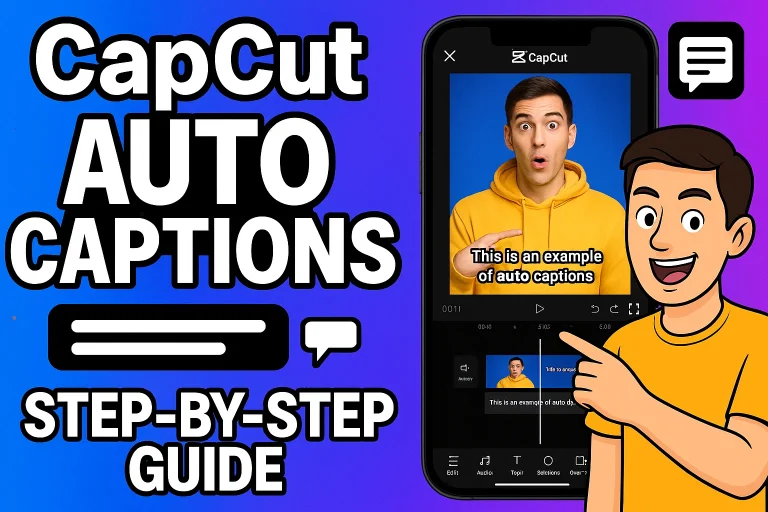
- Leverage tools like CapCut or Descript for quick auto-captioning.
Use Transitions and Effects Wisely
- Stick to clean fades or cuts for a professional look.
- Avoid overusing flashy effects that distract from the main message.
- Keep transitions consistent with your brand style.
Optimise Audio and Background Music
- Clean up background noise and balance audio levels.
- Add royalty-free background music that fits the video’s tone.
- Remember: clear audio builds trust and enhances professionalism.
Best Practices for SMBs and SMEs
Keep Videos Short and Value-Packed
- Attention spans are short, so aim for concise, focused videos that deliver value quickly.
- Cut unnecessary fluff and get straight to the point—your audience will thank you.
- A 60–90 second clip often performs better than a long, drawn-out video for small businesses.
Maintain Brand Consistency (Colors, Fonts, Style)
- Use your brand colors, fonts, and logo across every video to build recognition.
- Consistency makes your videos look more professional and trustworthy, even if you’re on a budget.
- Think of editing as a way to reinforce your brand identity and make your content instantly recognizable.
Edit for Social Media vs. Website Use
- Different platforms require different approaches. On social media, short vertical videos with captions work best.
- For your website or YouTube, horizontal formats with more in-depth storytelling may perform better.
- Tailoring your video editing to the platform ensures better engagement and audience retention.
Common Mistakes to Avoid in Business Video Editing
Overusing Effects and Filters
One of the most common mistakes SMBs and SMEs make is relying too heavily on flashy effects and filters. While transitions and animations can enhance your video, overdoing them often makes content look unprofessional and distracting. In business video editing, simplicity usually works best—clean cuts and subtle enhancements keep the focus on your message, not the editing tricks.
Neglecting Audio Quality
Even the most visually stunning video can fail if the sound is poor. Viewers quickly lose patience with background noise, uneven volume, or muffled voices. That’s why audio editing is just as important as visuals. By balancing levels, removing noise, and adding clear background music, you instantly make your video feel more polished and trustworthy. Strong audio tells your audience you value their experience.
Forgetting Mobile-Friendly Formats
Today, most people watch content on their smartphones, especially on social media platforms. A common oversight is not optimizing videos for mobile viewing. If your video isn’t sized correctly—whether vertical, square, or responsive—it can cut off visuals and hurt engagement. Always preview your content on mobile devices to ensure your business video editing works seamlessly across screens and platforms.
Conclusion
Editing business videos isn’t just about cutting clips—it’s about shaping your message in a way that connects with your audience. Throughout this guide, we’ve covered practical tips for SMBs and SMEs, from choosing the right tools to avoiding common mistakes. By applying these best practices, even small businesses can produce professional-looking videos that boost credibility and engagement.
Of course, there’s no one-size-fits-all approach. Some brands may thrive with simple DIY edits, while others might benefit from outsourcing. What matters most is consistency, clarity, and keeping your business video editing aligned with your overall goals. When done thoughtfully, video becomes a powerful tool to build trust, strengthen your brand identity, and drive meaningful results.
Now it’s your turn—what challenges do you face in editing your business videos? Share your thoughts in the comments, or pass this article along to a fellow entrepreneur who could use these insights. And if you’re still unsure about where to start, don’t hesitate to reach out to our support team—we’re here to help.
FAQs

Daniel Carter is a tech blogger who enjoys testing Android apps and video editing tools. He has been using and reviewing apps like CapCut for a few years and writes simple guides to help people get the most out of them. Daniel believes that editing doesn’t have to be complicated—his step-by-step tips make it easy for beginners to learn and improve. When he’s not writing, you’ll usually find him trying new apps or sharing CapCut updates with his readers.