Is CapCut Mod APK Safe? Risks, Facts & Safer Options
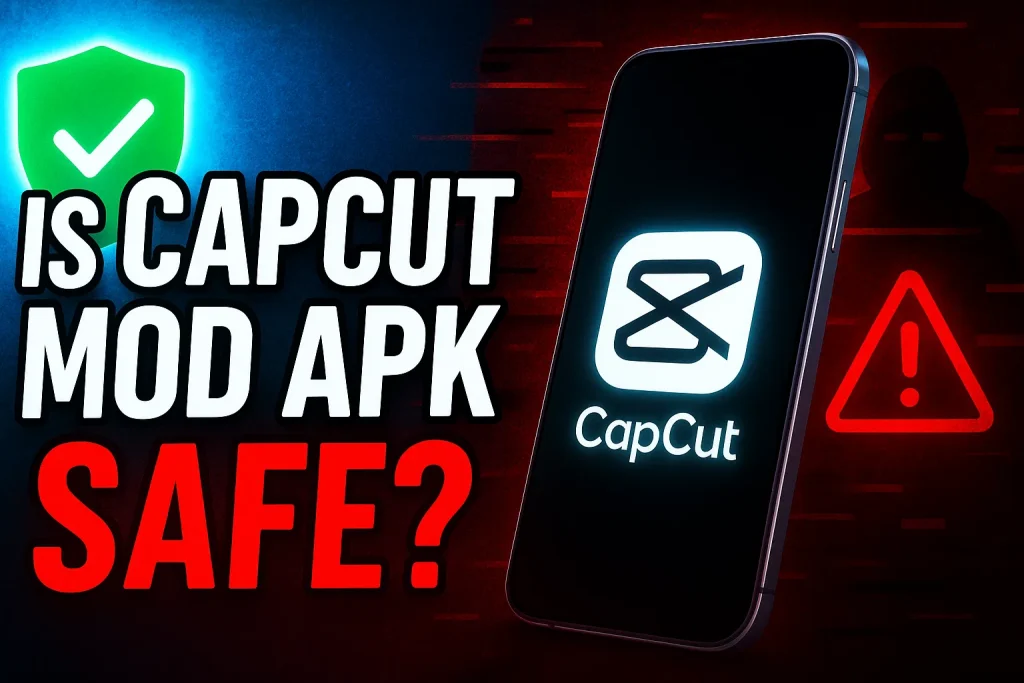
Have you ever wondered if downloading CapCut Mod APK is really worth the risk? With so many creators searching for free video editing tools, this modified version of the popular CapCut video editor has gained massive attention online. But before hitting that download button, it’s important to ask: is it actually safe to use?
As content creators, we understand the struggle—premium features can be expensive, and not everyone can afford a subscription just to access advanced editing tools. That’s why many users turn to third-party apps or unofficial APK files. But here’s the catch: while these versions may look appealing, they often come with hidden risks that could compromise your device and personal data.
In this guide, we’ll break down the real truth behind the safety of CapCut Mod APK, exploring both the benefits and dangers so you can make an informed decision. With a focus on security, legality, and alternatives, this article is designed to give you reliable insights backed by expertise and current trends—so you’ll know exactly whether it’s a smart move or a digital trap.
People Also Like:
- Revotuniolizing Video Editing With CapCut AI Features
- Capcut Tips And Tricks for Advanced Video Editing
- How to Effortlessly Increase Video Quality in CapCut up to 4K
Why Users Consider CapCut Mod APK
Many people are drawn to the CapCut Mod APK because it seems to solve common frustrations with free video editing apps. Let’s look at the main reasons why users consider downloading it:
- Free Premium Features
One of the biggest attractions is getting premium CapCut features without paying. Normally, tools like advanced transitions, filters, and high-quality export options are locked behind a subscription. With the modded version, users feel like they’re getting the “pro” experience for free—an appealing option for beginners and hobbyists who don’t want to spend money on editing apps. - No Ads and Unlocked Tools
Ads can seriously interrupt the creative process. Imagine editing your video flow, and suddenly an ad pops up—it’s frustrating, right? That’s why many turn to CapCut Mod APK with no ads. It also unlocks tools that are usually restricted, making editing smoother and less stressful. In short, users want convenience, and this version promises exactly that. - Accessibility Without Subscription
Subscriptions can be a barrier, especially for students or new creators who just want a quick way to edit content. The unofficial CapCut APK removes that wall by giving access without monthly payments or sign-ups. For many, it feels like an easy shortcut to professional-level editing, available instantly without recurring costs.
The Potential Risks of Using CapCut Mod APK
While the CapCut Mod APK might look like a shortcut to free editing features, it comes with some serious downsides. Let’s break down the biggest risks you should know before downloading it:
- Security Risks (Malware, Spyware, Data Theft)
Unlike the official CapCut app from trusted stores, modded versions come from third-party websites. That means there’s no guarantee they’re safe. Hackers often hide malware or spyware in these files, which can steal your personal data, slow down your device, or even lock your phone. Saving a few dollars could cost you your privacy—or worse, your entire device. - Privacy Concerns (Access to Personal Files and Data)
Have you thought about what permissions these unofficial APK files ask for? Many require access to your gallery, microphone, or even contacts. That’s a red flag. When you install from an unknown source, you’re basically giving strangers the keys to your personal information, which could be misused without you even realizing it. - App Instability and Crashes
Ever downloaded an app that crashes the moment you open it? That’s common with modded CapCut versions. Since they’re not updated by the official developer, they lack stability and can stop working anytime. Even worse, you won’t get bug fixes or new features—so the “free upgrade” ends up being a downgrade in user experience. - Legal Risks (Violation of Copyright or Terms of Service)
It’s not just about security—there are legal issues too. Using a CapCut cracked APK violates the app’s terms of service. This could lead to your account getting banned or, in some cases, legal action if copyrighted material is involved. Simply put, what looks like a free deal could put you in hot water legally.
Is CapCut Mod APK Really Safe?
When it comes to downloading CapCut Mod APK, the biggest question is whether it’s safe to trust. The truth is, these versions usually come from third-party websites, not official app stores like Google Play or the App Store. That means there’s no review process, no malware scan, and no guarantee that what you’re downloading is clean. Some sites may claim their file is “100% safe,” but without regulation, it’s impossible to verify.
Even if you manage to find a version that works, the safety of CapCut Mod APK cannot be guaranteed. Why? Because modded files can be altered anytime. An update that looks harmless might suddenly include spyware, or the app could stop working altogether. In short, you’re putting your trust in unknown developers who don’t have accountability like the official CapCut team.
So, what do experts recommend? Cybersecurity specialists advise sticking to the official CapCut app or considering legal alternatives that provide premium features without risk. If budget is a concern, there are plenty of free video editing apps available on official stores that won’t compromise your security. At the end of the day, saving a few dollars isn’t worth exposing your device—and your personal data—to serious risks.
Safe Alternatives to CapCut Mod APK
If you’re looking for powerful editing tools without the risks, there are safe and trustworthy options available. Instead of relying on CapCut Mod APK, here are the best alternatives:
- Using the Official CapCut App
The official CapCut video editor is free to download from Google Play and the App Store. It already includes plenty of editing features—filters, transitions, text effects, and even AI-powered tools. Since it’s maintained by the official developers, you get regular updates, bug fixes, and the peace of mind that your data is safe. - Exploring Legitimate Premium Plans
Want to unlock more advanced options? The CapCut premium plan gives access to exclusive effects, stock footage, and cloud storage at a reasonable cost. The benefit here is reliability—you know exactly what you’re paying for, and you’re supporting the developers who keep the app running smoothly. Plus, you avoid the hidden dangers of downloading from third-party APK sites. - Alternative Free Editing Apps
Don’t want to spend money at all? You still have great choices. Apps like VN Video Editor, InShot, and Adobe Premiere Rush provide editing power without shady downloads. These apps are available on official stores, meaning they’ve been checked for safety. They may not have every premium effect, but they’re more than enough for creating professional-looking content without risking your device’s security.
Also Read:
Tips to Stay Safe Online
Whether you’re editing videos or just browsing, protecting your device and data should always come first. Here are some simple yet powerful ways to stay safe online:
- Download Apps Only from Official Stores
Stick to Google Play Store or the Apple App Store when downloading apps like CapCut or other editors. These platforms run security checks to ensure apps are free from malware. It might be tempting to grab an unofficial APK file from a random website, but doing so puts your privacy at risk. - Use Antivirus and Malware Scanners
Even trusted apps can sometimes face security loopholes. Installing a reliable antivirus app helps detect hidden threats like spyware, ransomware, or phishing attempts. Think of it as a shield that constantly scans your phone or PC, giving you extra protection against unwanted intrusions. - Keep Your Device Updated
Regular updates aren’t just about new features—they often include security patches that fix vulnerabilities. If your phone or editing app is outdated, hackers could exploit those weak spots. By keeping your device and apps up to date, you’re closing doors to cyber risks before they even happen.
Conclusion
We’ve explored what the CapCut Mod APK is, why people are drawn to it, and the risks that come with using it. From security threats like malware to legal concerns and app instability, it’s clear that the “free premium features” come with hidden costs. At the same time, we’ve looked at safer options, including the official CapCut app, premium plans, and alternative free editors.
So, is the CapCut Mod APK safe? Honestly, there’s no guarantee. Some users might install it without immediate issues, but the risks are always there. If your priority is security and reliability, sticking to trusted sources is the smarter move. After all, peace of mind is worth more than saving a few dollars.
What’s your take on this? Have you ever tried using a modded app or do you prefer sticking to official versions? Share your thoughts in the comments below, and don’t hesitate to reach out if you have questions. Your feedback not only helps other readers but also keeps the conversation going!
FAQs

Daniel Carter is a tech blogger who enjoys testing Android apps and video editing tools. He has been using and reviewing apps like CapCut for a few years and writes simple guides to help people get the most out of them. Daniel believes that editing doesn’t have to be complicated—his step-by-step tips make it easy for beginners to learn and improve. When he’s not writing, you’ll usually find him trying new apps or sharing CapCut updates with his readers.